Back to portfolio
B2B Field Device Application
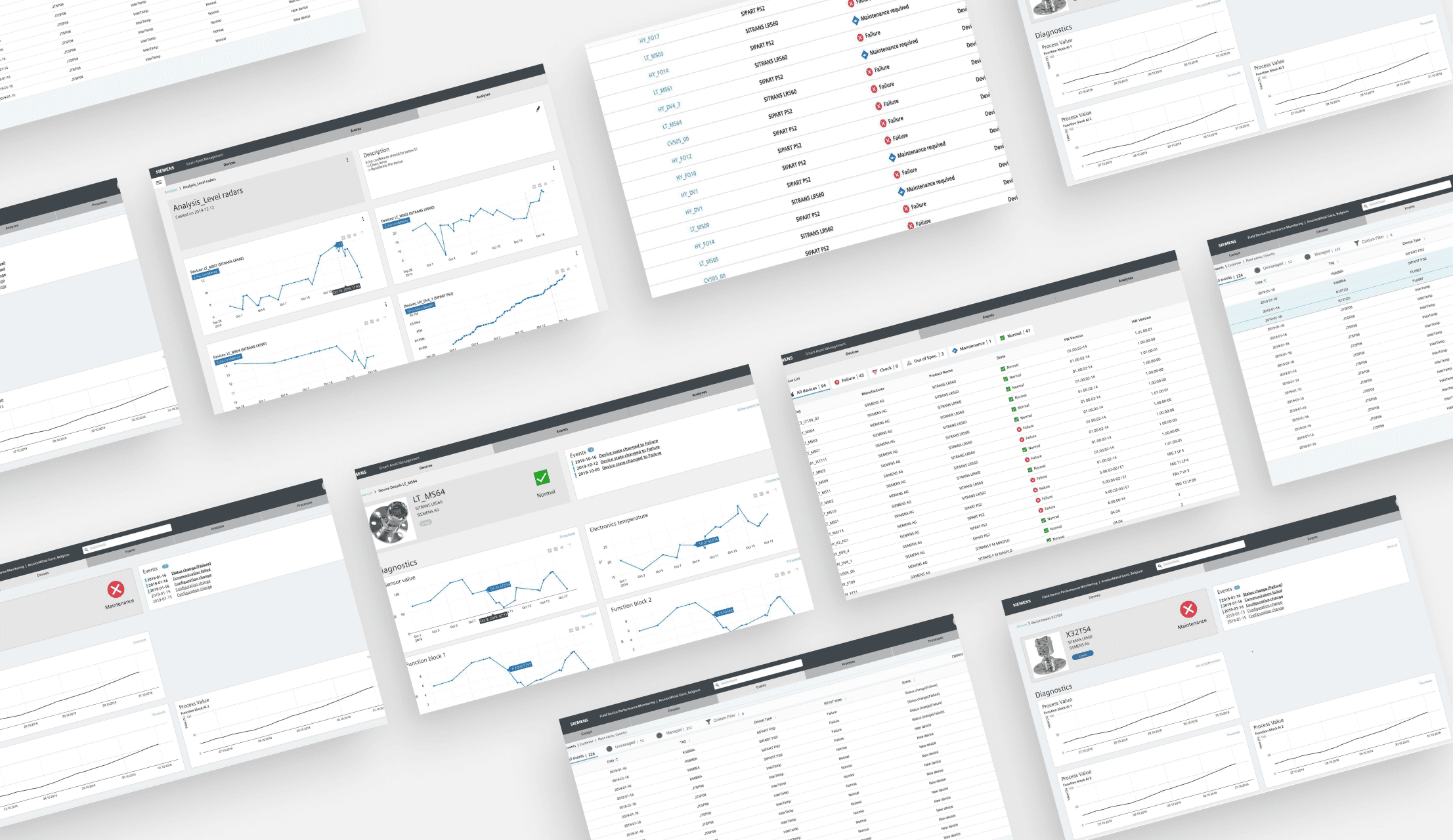
The Field Device Monitoring application helps asset- and service managers of industrial processing plants to monitor the status and health of their devices.
Category
User Personas Experience Map UI Designs UI Architecture Prototyping
Client

Date

Project Summary
Of the current field device information in the Field process plants, only approximately 10% is used, and up to 90% is unused data. This offered a new potential value. The new Smart device management solution would collect the remaining 90% of valuable field device data and evaluate it using the comprehensive diagnostics and monitoring capabilities on the Mindsphere cloud platform.
The Solution offers Kurt real-time information about the health and status of the systems of industrial processing plants. It helps them to increase their plant performance, reduce maintenance costs, and prevent unexpected downtime.
Research
UX Discovery Workshop
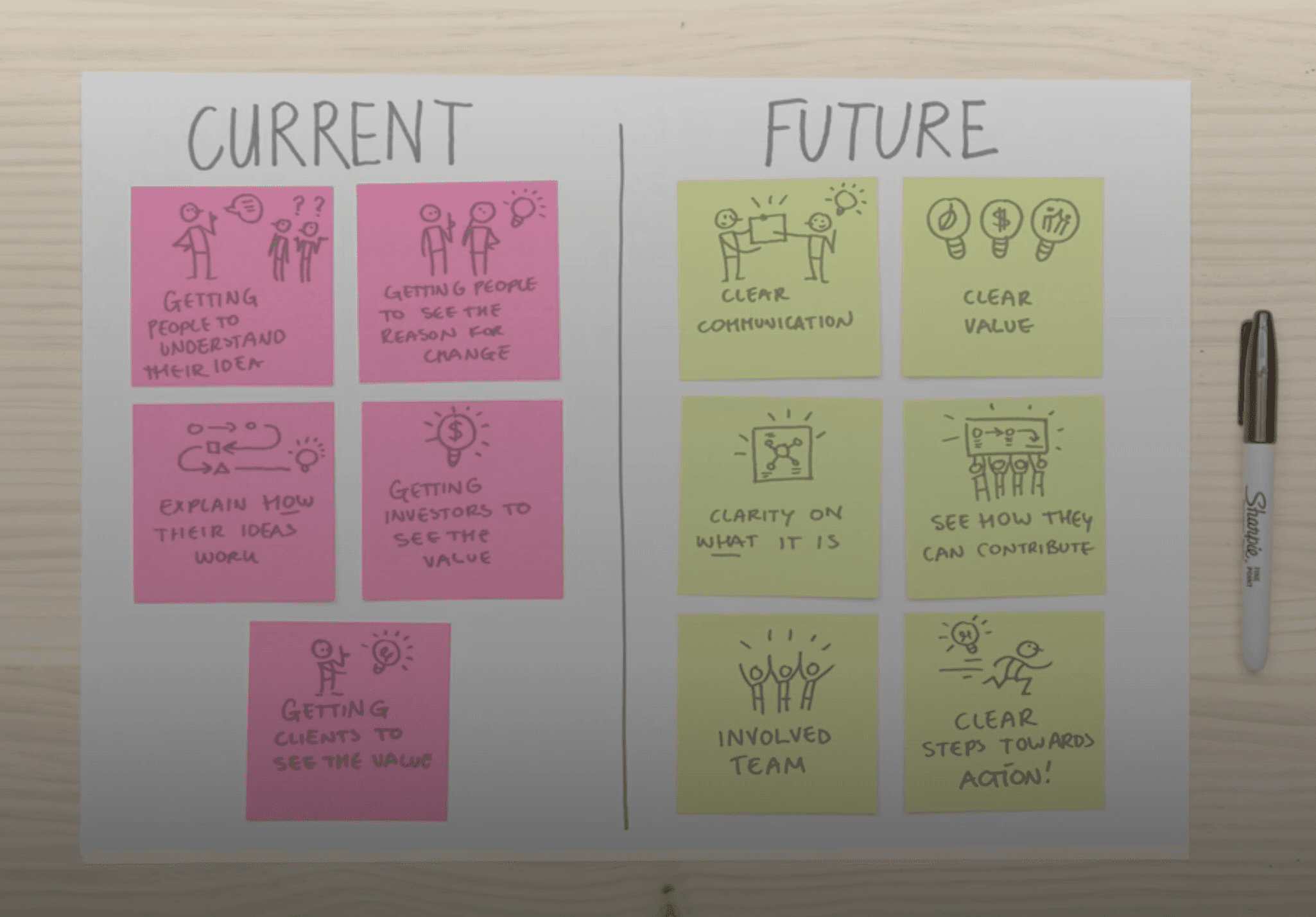
At the beginning of the project, I conducted a UX stakeholder workshop with the product team. This workshop helped to understand and communicate a common understanding of the product vision, the technical requirements and business requirements.
The workshop helped to define the product vision and empathy maps for two user groups, the Service mechanic and Asset manager. Also it helped establish buy-in, trust and understanding of the UX process from key members of the agile team. The discovery workshop was a total of 2 hours and 10 people.
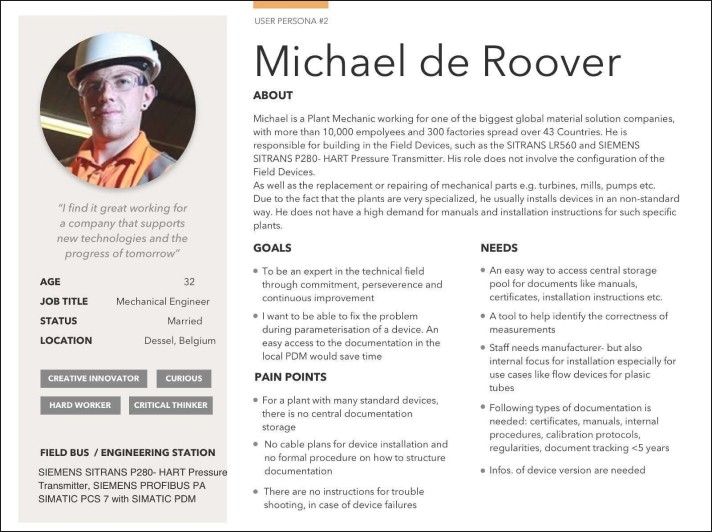
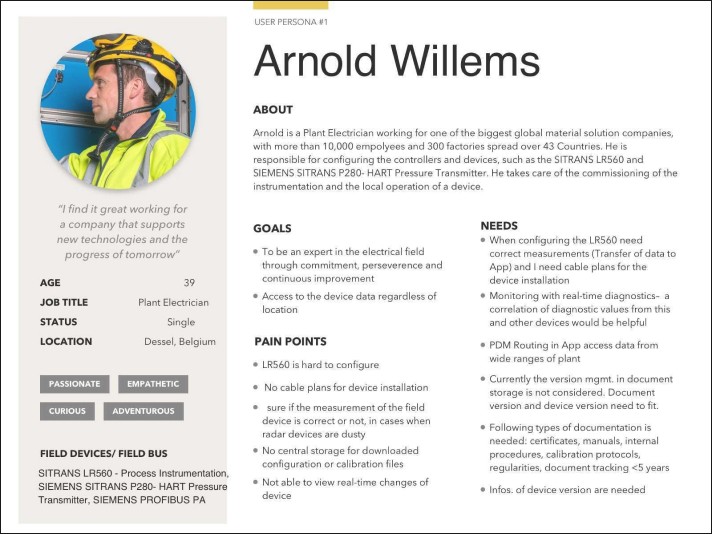
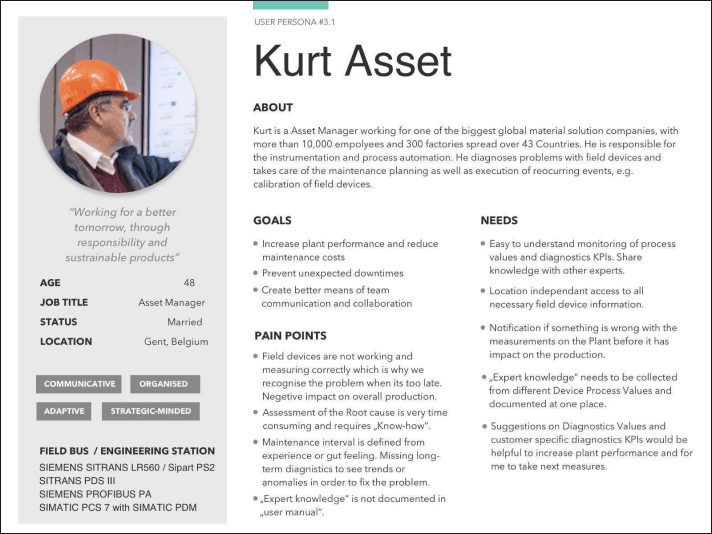
Three key personas emerged as a result of the Customer Workshops
The Asset Manager
The Electrician
The Mechanic
Prototyping
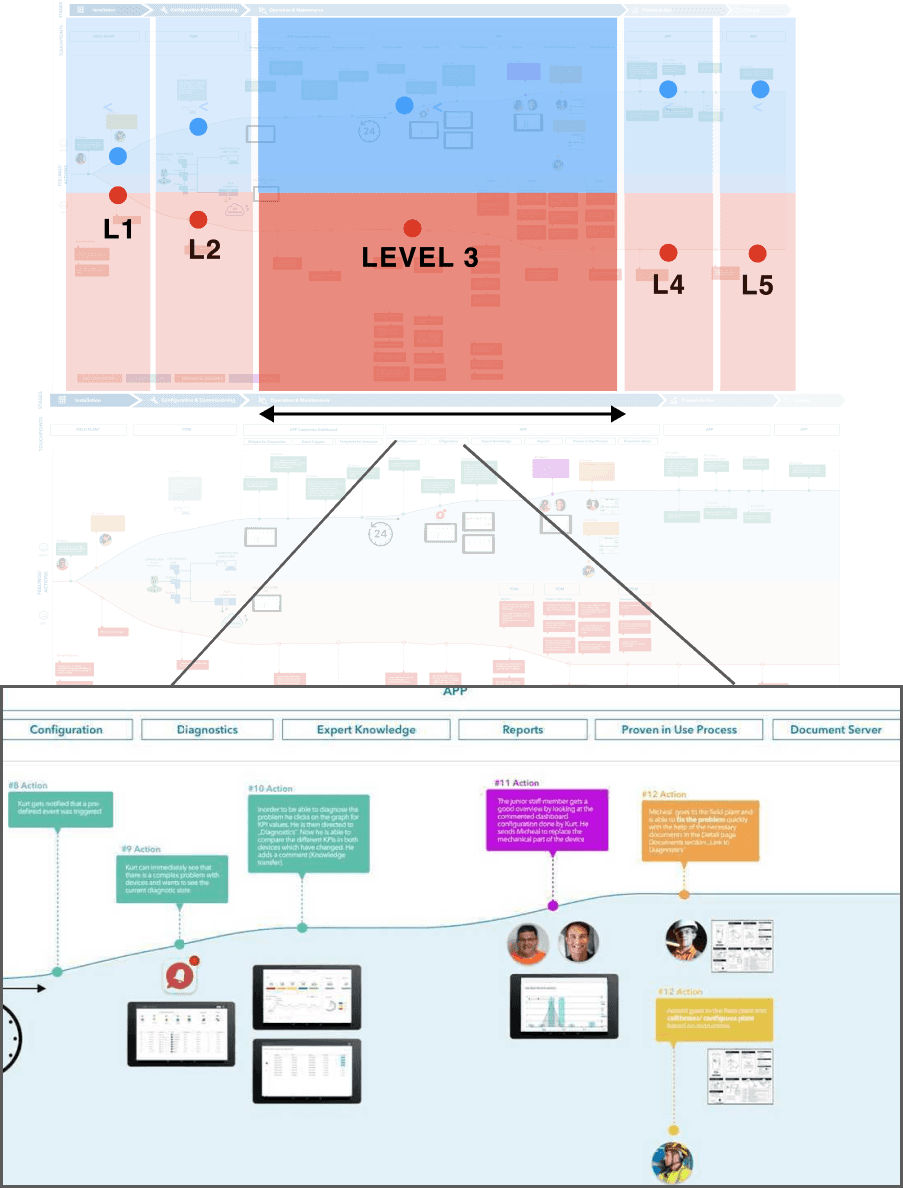
Gathering Insights from Interviews
This resulted in a map that showed the current pain points and opportunities for the life cycle of the field device for the three user groups.
Based on the insights and feedback we received from the interviews and workshops, together with the user researcher and the product owner, we defined the key user flows for the asset manager. The goal of our low-fi testing was to narrow down the key features that should be included in the backlog and prioritized high for the agile development.
In the Device overview page, the latest Device alerts are displayed on the top with green highlight.
The Asset manager can manage multiple devices at one and save time. They are then stored in the archive folder.
Device Details Page Testing Insights
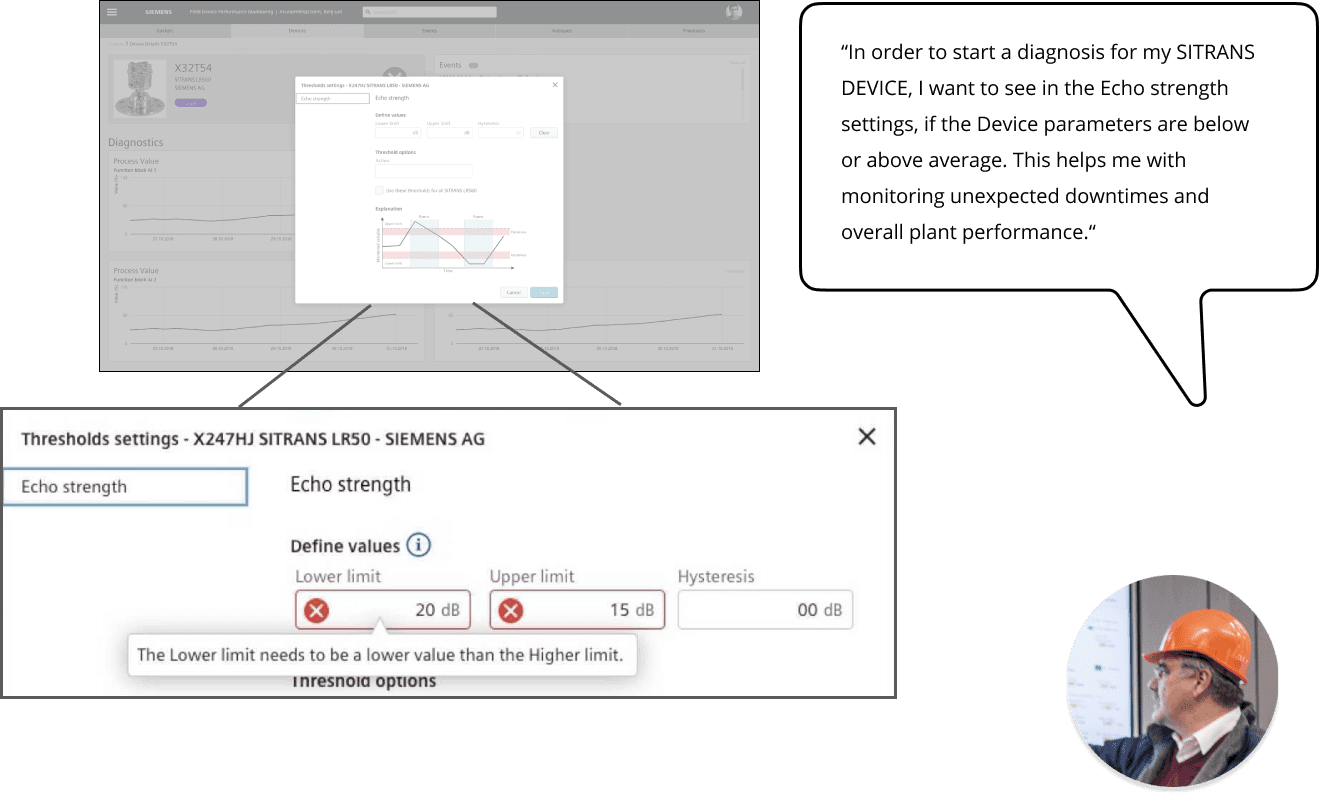
The Asset Manager can set the Diagnostic Values for e.g. Echo Strength.
The device parameter settings
Device Overview Page Testing Insights
In the Device overview page, the latest Device alerts are displayed on the top with green highlight.
The Asset manager can manage multiple devices at one and save time. They are then stored in the archive folder.

Visual Design
Hi-Fi Testing of Use Case Scenarios
In the Device overview page, the latest Device alerts are displayed on the top with green highlight.
The Asset manager can manage multiple devices at one and save time. They are then stored in the archive folder.
Device Details Page Testing Insights
The Asset Manager can set the Diagnostic Values for e.g. Echo Strength.
The device parameter settings
Device Overview Page Testing Insights
In the Device overview page, the latest Device alerts are displayed on the top with green highlight.
The Asset manager can manage multiple devices at one and save time. They are then stored in the archive folder.